Index Charts That Matter: S&P 500, Nasdaq, Dow with VWAP
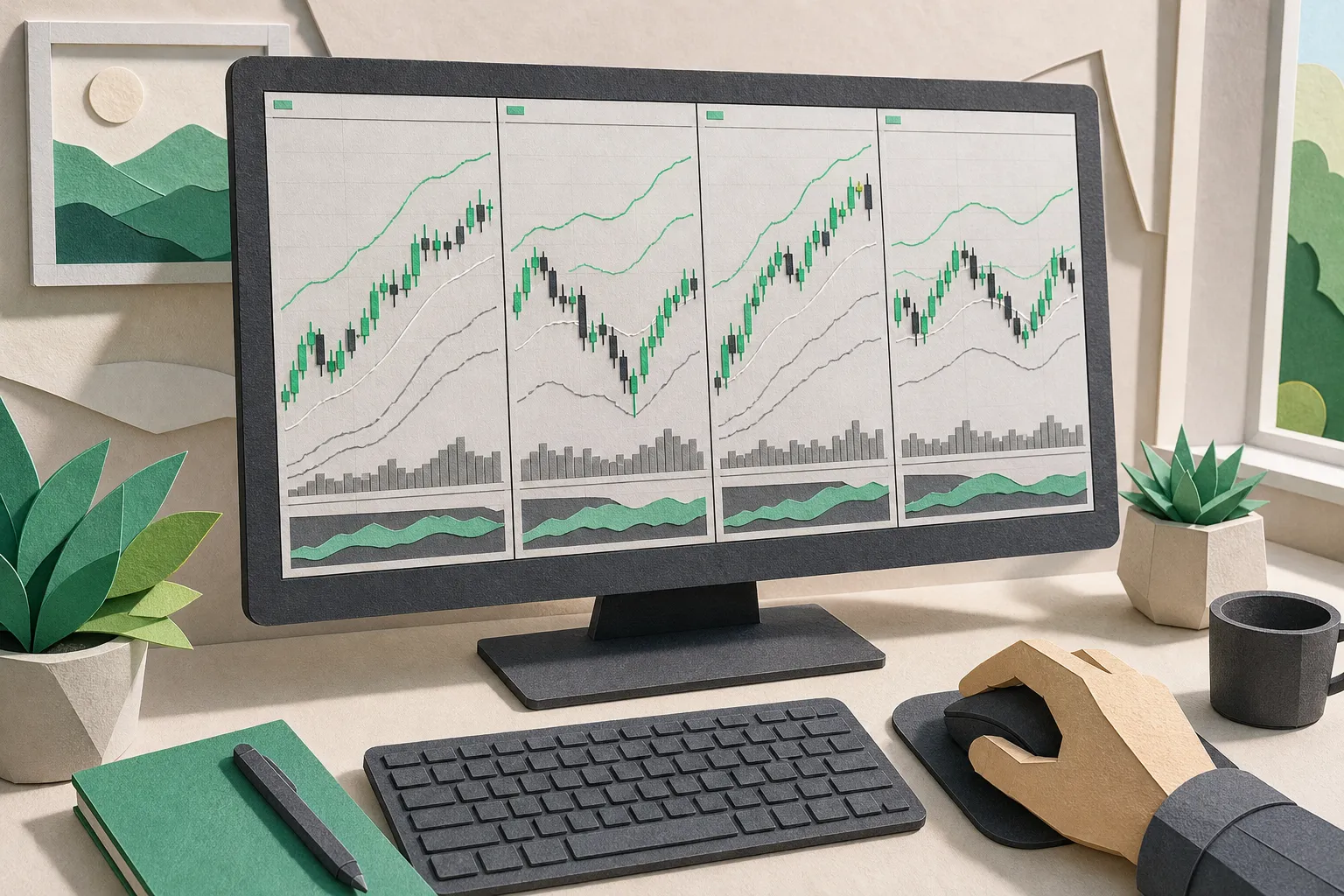
If you trade without a firm handle on index charts, you are guessing at the backdrop. The S&P 500, Nasdaq 100, and Dow set the tone for risk, trend, and intraday tempo. Build a clear view of those indices and your stock and ETF decisions get faster and calmer. A simple example: if QQQ is green and pushing above yesterday’s high while the S&P 500 sits below yesterday’s low, you are likely looking at narrow tech strength, not broad risk-on. Your plan should reflect that.
Read the S&P 500, Nasdaq 100, and Dow together
Each index carries a different tilt and reacts differently to rates, earnings, and macro headlines.
- S&P 500 (SPX, ES, SPY): broad large caps with sector balance. Think banks, healthcare, industrials, tech.
- Nasdaq 100 (NDX, NQ, QQQ): growth and technology heavy. Semiconductors, mega-cap software, consumer internet.
- Dow Jones Industrial Average (DJI, YM, DIA): price-weighted mix of mature names that can lag or lead on idiosyncratic moves.
The relationship between them is a real tell. If NDX is bid while DJI is flat, money is rotating to growth. If all three take out prior-day lows together, odds favor a risk-off session and bounces are sells until that pressure eases. Track the ETF proxies (SPY, QQQ, DIA) or futures (ES, NQ, YM) if you prefer around-the-clock reads.
TickerLists covers indices alongside stocks, ETFs, futures, forex, and crypto. Data is real time or delayed by exchange, clearly labeled. Lists, alerts, levels, and multi-chart layouts save to your account and sync across devices, so the view you trust on desktop matches what you see on your phone.
Timeframes, VWAP, and a repeatable routine
Top-down is the cleanest way to avoid noise. Use weekly and daily charts to set context, then drop to intraday for entries.
- Weekly: mark the prior week’s high/low and the current 52-week range. This frames trend and where you are in it.
- Daily: mark yesterday’s high/low, any open gap, and the 20-day and 50-day moving areas traders watch. Note confluence with round numbers.
- Intraday: define an opening range (first 5 or 30 minutes, pick one and be consistent) and monitor VWAP for bias.
In TickerLists you can switch between candlestick or line charts from 1-minute to weekly bars. On ETF proxies like SPY, QQQ, and DIA you can include extended hours if you trade pre-market or after-hours. Scroll and zoom to inspect swings, or pinch to zoom on your phone. Drag the price axis to focus on the range that matters right now.
Add VWAP with bands to locate value intraday. Standard deviation bands at 1 and 2 help you see whether price is accepting value or stretching from it:
- Bias up: price holds above VWAP, pullbacks find bids at the lower 1-sigma band, and reclaims of the opening range high tend to continue.
- Two-sided: price rotates around VWAP and rejects the 1-sigma bands. Fade extremes and take profits faster.
- Bias down: price rides the underside of VWAP, mid-band retests fail, and breaks of the opening range low get follow-through.
A simple daily routine
- Before the open: on weekly SPX, mark prior week’s high/low and note distance from 52-week levels.
- On daily SPX, NDX, and DJI, mark yesterday’s high/low and any open gap. Repeat on SPY, QQQ, and DIA for direct execution.
- Five minutes after the bell: add VWAP to your 1-minute charts; define your chosen opening range and mark its high/low.
- Through the morning: if QQQ clears yesterday’s high while SPY stalls at VWAP, rotate toward tech leaders and size down cyclicals.
- Near lunch: reassess. Trend days usually hold above prior-day high with VWAP support; range days often oscillate around VWAP.
Layouts, watchlists, and alerts that work
Side-by-side views reveal rotation fast. In TickerLists you can display one, two, or four charts and save them as layouts. A two-panel layout is great for SPX vs NDX. A four-panel layout lets you add DJI and RUT for small-cap read. Keep all panels on the same timeframe for apples-to-apples reads. Save a daily layout with VWAP off for clean structure and an intraday layout with VWAP on for execution. Toggle between them with a click, and keep the same structure on your phone.
Organization beats memory. Build a watchlist for indices and their tradable proxies so you never hunt for symbols.
Suggested sections and symbols
- US index ETFs: SPY, QQQ, DIA, IWM
- US index futures: ES, NQ, YM, RTY
- Global or sector proxies: add liquid ETFs you actually follow (EFA, EEM, XLF, XLK, XLI as examples)
TickerLists lets you create unlimited lists with up to 200 symbols each, then group them into foldable sections. Add by typing or paste a list to speed things up. Drag to reorder, sort columns, and quick-switch lists with one key. If you are moving from another platform, import TradingView exports with sections. That makes TickerLists a practical TradingView alternative for organizing symbols and pulling up live stock charts without rebuilding everything.
Make the list actionable. Click any price on a chart to set unlimited alerts, or draw entry, stop, and target lines. Drag to adjust those levels and see projected P/L at each line before you place a trade with your broker. Useful index alerts include prior-day high/low, overnight high/low, opening range break, and VWAP cross. Tie stock alerts to index context so you do not buy a stock breakout into a falling SPY.
Checklists keep you honest. Borrow the idea from outside trading. The step-by-step format in How parents can run tutoring background checks that work on TutorListed, a tutor directory to find local or online tutors by subject and place and contact them directly, is a good model for process. Write a short index checklist you follow every morning, then pin it next to your watchlist.
Turn index reads into trade decisions
Indices guide the plan. ETFs and futures execute it. On SPY or QQQ, TickerLists provides an entry check on today’s 1-minute chart that suggests an entry, stop, target, and the odds the target is reached first. Use it to sanity-check your idea against real intraday structure.
Map trades with levels you can defend:
- Entry: break and hold above the opening range high in the direction of the daily bias, or a pullback to VWAP that holds.
- Stop: below the nearest intraday swing or the other side of the opening range. Avoid placing stops at obvious round numbers.
- Target: a measured move from the opening range, a prior-day reference, or the next daily level you marked.
As price develops, drag your lines and watch projected P/L update. If the index structure shifts, adjust or stand down. When you pivot from index charts to the names driving the move, company data and news on individual stocks give you day and 52-week ranges, volume, market cap, valuation, next earnings date, and recent headlines. Quotes update live for US stocks, including pre-market and after-hours, which helps when you plan SPY or index-leader trades ahead of the bell.
Cross-asset reads matter too. If you track BTC or ETH, keep a crypto watchlist next to your index list to gauge whether risk appetite is broad or isolated. Everything in TickerLists saves to your account and syncs across devices, with phone-friendly charts and pinch-to-zoom for a quick read between meetings.
Key takeaways
- Read the S&P 500, Nasdaq 100, and Dow together to frame risk and rotation before you act.
- Use weekly and daily charts for levels, then intraday VWAP and an opening range for execution.
- Save side-by-side layouts for fast rotation reads and keep timeframes consistent across panels.
- Build a clean index watchlist, import TradingView exports, and set alerts at PDH/PDL, ONH/ONL, ORH/ORL, and VWAP.
- Turn context into action on SPY, QQQ, or futures with entry checks, trade levels, and live quotes.
If you want a focused stock watchlist app feel without bloat, TickerLists keeps index charts, price alerts, and layouts simple and fast. Add your symbols once, save your layouts, and let the structure do the heavy lifting.
FAQ
What symbols should I use to chart major US indices?
Use ETF proxies like SPY for the S&P 500, QQQ for the Nasdaq 100, DIA for the Dow, and IWM for the Russell 2000. For futures, watch ES, NQ, YM, and RTY.
Which timeframe is best for index charts?
Start with weekly and daily for trend and key levels, then drop to 1-minute intraday for execution. Keep all indices on the same timeframe when comparing.
How do I compare indices side by side in TickerLists?
Use a multi-chart layout with two or four panels. Load SPY, QQQ, DIA, and IWM on matching timeframes, add VWAP if needed, then save the layout for quick reuse.
Can I set price alerts on index levels?
Yes. Click any price on the chart to set unlimited alerts. You can also draw entry, stop, and target lines and drag to adjust them as conditions change.
Does TickerLists work on mobile?
Yes. Lists, alerts, and layouts sync across devices, and charts are phone-friendly with pinch-to-zoom for fast review on the go.
More from the blog
Forex Live Quotes: Sources, Latency, Sessions, and Alerts
See how forex live quotes are sourced, what latency to expect by session and connection, and how to track pairs with watchlists and synced price alerts.
Price-to-Earnings (P/E) Ratio: A Practical Guide for Traders
Learn what the P/E ratio shows, how to read it by sector and cycle, and how to view P/E beside live charts, alerts, and watchlists in TickerLists.
Company Profiles: What to Check Before You Trade a Stock
Read company profiles the right way. Scan key stats, tie them to live charts and news, and build a focused watchlist with alerts before you trade.
7 Ways to Trade Support and Resistance With Clean Levels
Learn 7 practical ways to trade support and resistance levels with clean zones, VWAP, price alerts, and simple plans you can apply on live charts.