Company Profiles: What to Check Before You Trade a Stock
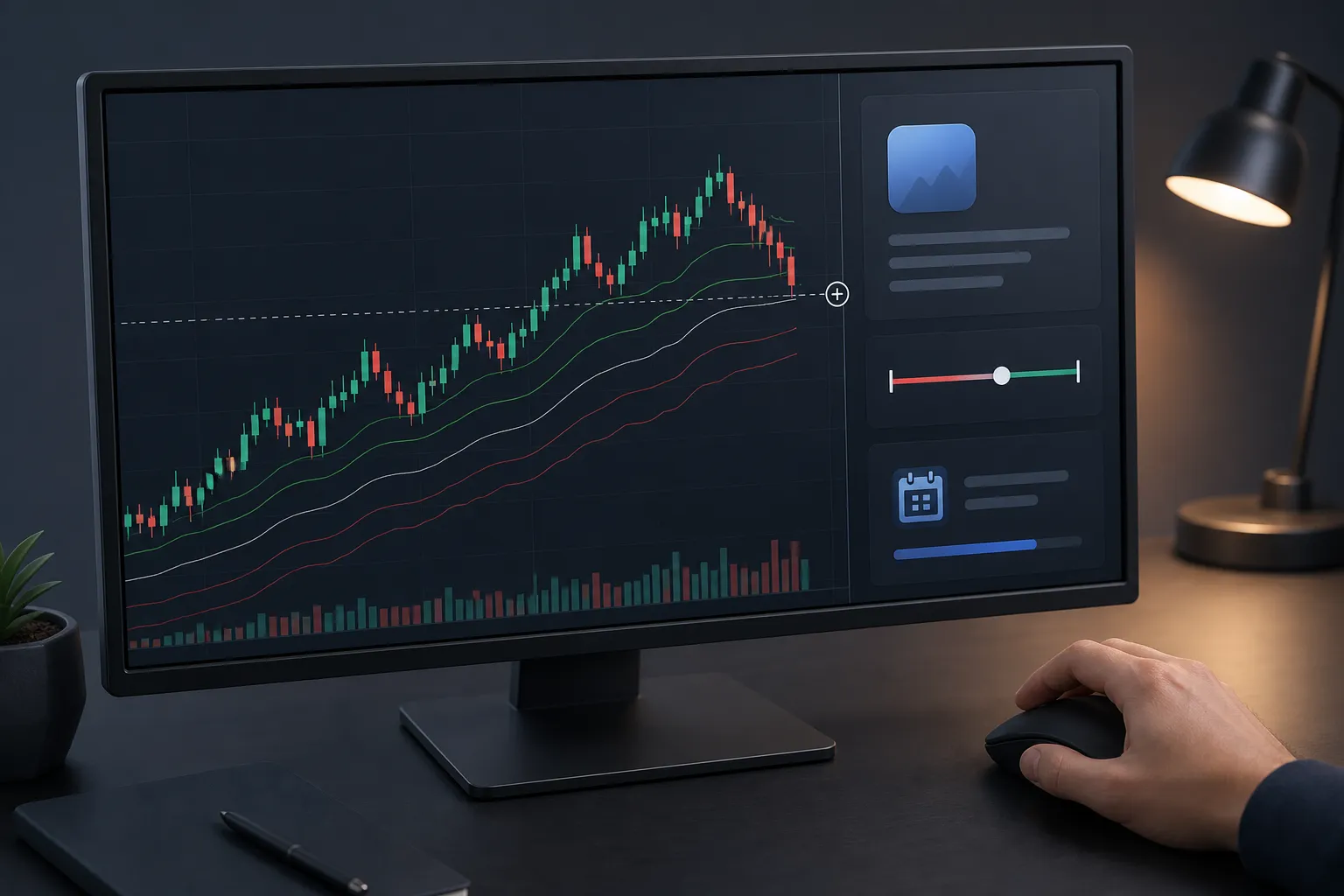
Great charts still fail if you ignore basic company facts. A two-minute scan of the profile often explains why price is moving, how far a move can run, and what calendar risks can break your plan. Use this fast, repeatable checklist to read a company profile, tie each item to the live chart, and act with a clear risk line before you click buy or sell.
Key facts to scan in seconds
These items frame volatility, fuel, and risk. Read them the same way every time so your trade size, stop, and target are grounded in context.
Price range today vs 52-week range
Start with today’s range and where price sits inside the 52-week range. If price is pressing high of day, short setups usually need a clean reversal signal or they lack room. On the 52-week view, stocks near highs often trend with shallow pullbacks; names near lows bounce hard but stall at obvious resistance. A simple rule: do not fade the first tag of a 52-week high unless intraday structure flips (lower high below the breakout) or volume dries up. TickerLists shows both day and 52-week ranges beside the chart so you can line up levels without hunting through panels.
Volume that confirms or questions the move
Compare current volume to recent activity, not just to yesterday. A quick pace check: take shares traded so far and annualize to the close; if it points to 1.5x or more of the 20-day average, participation is real. Range expansion on weak volume is prone to fade; tight ranges with steadily rising volume can be early accumulation. TickerLists displays current volume alongside the chart so you can verify momentum at a glance.
Market cap sets volatility and liquidity
Microcaps whip with wide spreads; mega-caps move cleaner but slower. Market cap does not call direction, but it shapes stop width and fill quality. A pattern that works with a 0.5% stop in a large cap might need 1 - 2% in a small cap. Use market cap in the company profile to pick the right playbook and size down when liquidity is thin.
P/E ratio, with the right comparison
P/E is a sentiment snapshot, not a signal. Read it against the right yardstick: trailing vs forward and sector median. A software name at 35x forward earnings can be normal if peers sit around 30x; a utility at 25x may be rich if its group runs near 17x. If a premium P/E stock sells off on a modest miss, that is a tell that the market is repricing growth.
Next earnings date is a hard line
Always check the next earnings date before you open or hold overnight. Volatility often builds in the few sessions before a report and gaps are common. Define in advance whether you will flatten before the event or size the position as an explicit earnings bet. TickerLists surfaces the next earnings date in the profile panel so you do not get surprised.
Float and short interest flag squeeze risk
When available, glance at float and short interest. Low float plus high short interest raises the odds of fast squeezes where stops must be wider or size smaller. A move from 8% to 12% short interest is often enough to change how a breakout behaves around prior highs.
Earnings dates and news flow
Catalysts set the tone for the day. Two checks cover most of what moves price: the earnings calendar and the latest headlines.
Use the earnings date to time entries
If earnings are within two sessions, tighten your hold period or wait for the report. Common plans: fade a stretched pre-earnings run-up into resistance, or ride momentum intraday but close before the print. Whatever your plan, the date on the profile keeps you honest about gap risk.
Read headline type, not just count
Headlines are not equal. Guidance changes, regulatory updates, M&A, or product milestones can support a trend day. Routine rating changes or recycled notes usually cannot. Check whether the headline explains the tape: if the stock is up 4% with 2x volume and the news is a guidance raise, trend setups have a tailwind; if it is a minor broker note, treat pops as fragile. TickerLists shows the latest news next to the chart so you can judge whether a move is tradable strength or headline noise.
Extended hours set early levels
Premarket and after-hours price action often marks the first support and resistance of the regular session. Note overnight high and low, gap size, and whether volume confirmed the move. With live quotes and extended hours on US stocks, you can see reactions before the bell and plan your first levels accordingly.
Linking profile data to the chart
Turn the story into levels, risk, and a path for the trade. The profile narrows the zones; the chart gives you the lines.
Map levels that match the catalyst
- 52-week high with heavy volume: mark the breakout level, prior high, first pullback low, and a measured move equal to the opening range.
- Rebound from 52-week lows without news: look for a lower high to fade or wait for a base with higher lows before a long.
- Into earnings: draw a hard stop for any day trade you will not carry. Treat the report as a wall.
Example: a stock gaps 3% on a guidance raise and trades 2x average volume. Plan an entry on a pullback to the prior high, stop a few cents below the pullback low, and target the opening range height added to the breakout level. TickerLists lets you draw entry, stop, and target lines, drag to adjust them, and see P/L at each level so the thesis turns into a clear trade.
Use VWAP to judge intraday pressure
VWAP shows where the average buyer sits. Above VWAP with pullbacks holding it favors long continuations. Rejections at VWAP cap bounces in downtrends. Bands help you see when price stretches too far from value and mean reversion is likely. Add VWAP with bands on TickerLists charts and check whether the profile’s volume and news backdrop support the bias you see.
Check the 1-minute picture to time entries
When timing is tight, TickerLists includes an Entry Check on today’s 1-minute chart that suggests an entry, stop, target, and the odds the target is reached first. Use it to pressure-test your plan, not replace it. If your read and the quick odds agree, confidence rises; if they do not, tighten risk or wait for a better setup.
Track extended hours and structure together
Combine overnight highs and lows with the first 15 - 30 minutes of the session. Many opening range breakouts or failures happen right at those overnight levels. With candle or line charts from 1-minute to weekly bars, you can move between intraday timing and bigger context without losing your place.
Building a research-ready watchlist
A focused watchlist speeds prep and cuts noise. Group names by catalyst, sector, or session plan so you can act when price tags your level.
Structure lists by catalyst and timeframe
- Earnings this week: dates inside five trading days.
- News drivers: fresh headlines worth tracking for second-day plays.
- Breakout candidates: near 52-week highs with rising volume.
- Reversion basket: oversold near 52-week lows without major news.
- Crypto watchlist: top coins you trade, plus related stocks or ETFs if you track those links.
With TickerLists you can create unlimited watchlists with up to 200 symbols each, group them into foldable sections, drag to reorder, sort columns, and quick-switch with one key. Lists, alerts, levels, and layouts save to your account and sync across devices, with phone-friendly charts and pinch-to-zoom for trading on the go.
Import and refine your universe
If you already track names elsewhere, import TradingView exports with sections or paste a list of symbols. It is a fast way to use TickerLists as a simple TradingView alternative for building a focused universe without starting from scratch.
Use multi-chart layouts to compare context
For top-down reads, place a weekly, daily, 30-minute, and 1-minute chart side by side. TickerLists supports one, two, or four charts on screen and lets you save them as layouts. Your notes, levels, and the company profile data stay aligned across timeframes.
Set stock price alerts where it matters
Click any price to set unlimited alerts at your entry, stop, target, 52-week highs, or overnight levels. Because alerts sync across devices, you will catch moves whether you are at your desk or checking charts on your phone.
Cover more than stocks
Broaden your prep with ETFs, indices, futures, forex, and crypto. Cross-asset levels often rhyme. If the dollar breaks a key level, your forex and US equity watchlists will both feel it. Keeping everything in one stock watchlist app saves clicks and helps you spot the links.
Key takeaways
- Scan company profiles for day range, 52-week range, volume, market cap, P/E, short interest, and the next earnings date before you trade.
- Confirm or question a move with headline quality and extended-hours action, then map levels that match the catalyst.
- Turn the plan into lines on live charts. Use VWAP for intraday bias and, if needed, a quick Entry Check to pressure-test timing.
- Build a research-ready watchlist with sections, multi-chart layouts, and alerts so you act when levels hit.
- If you want a focused TradingView alternative for lists and live charts, TickerLists keeps profile data and price action side by side.
FAQ
What is a company profile in stock trading?
It is a snapshot of key facts about a listed company, such as day and 52-week price ranges, volume, market cap, P/E ratio, upcoming earnings date, a brief business description, and the latest news.
Which company profile metrics matter most before day trading?
Focus on the day range, 52-week range, current volume, and the latest news. Also check the next earnings date so you do not get trapped by a surprise report.
How do earnings dates affect short-term trades?
Earnings can trigger large gaps and trend days. If a report is near, tighten risk or exit intraday. Many traders avoid holding positions through earnings entirely.
How can I connect company profile data to a chart?
Use the profile to choose likely zones, then draw entry, stop, and target lines. Add VWAP for intraday bias and watch extended-hours highs and lows for the open.
What is a good TradingView alternative for watchlists and live charts?
TickerLists is a simple option with watchlists, live quotes, candle and line charts, VWAP, company data and news, stock price alerts, and multi-chart layouts.
More from the blog
7 Ways to Trade Support and Resistance With Clean Levels
Learn 7 practical ways to trade support and resistance levels with clean zones, VWAP, price alerts, and simple plans you can apply on live charts.

How to Set Breakout Alerts That Actually Trigger on Time
Set breakout alerts that fire on time with precise levels, session-aware buffers, and live quotes across stocks, ETFs, futures, forex, and crypto.
Best Charting Platforms for Watchlists, Alerts, and Layouts
Compare top charting platforms for fast watchlists, live charts, and price alerts. Get latency tips and a 7-day checklist to import and test your lists.
TradingView vs TickerLists: Watchlists, Charts, and Alerts
TradingView vs TickerLists: compare watchlists, live stock charts, price alerts, VWAP, and layouts. Learn who each suits and how to migrate fast.