VWAP Trading Strategy: Entries, Stops, Targets and Alerts
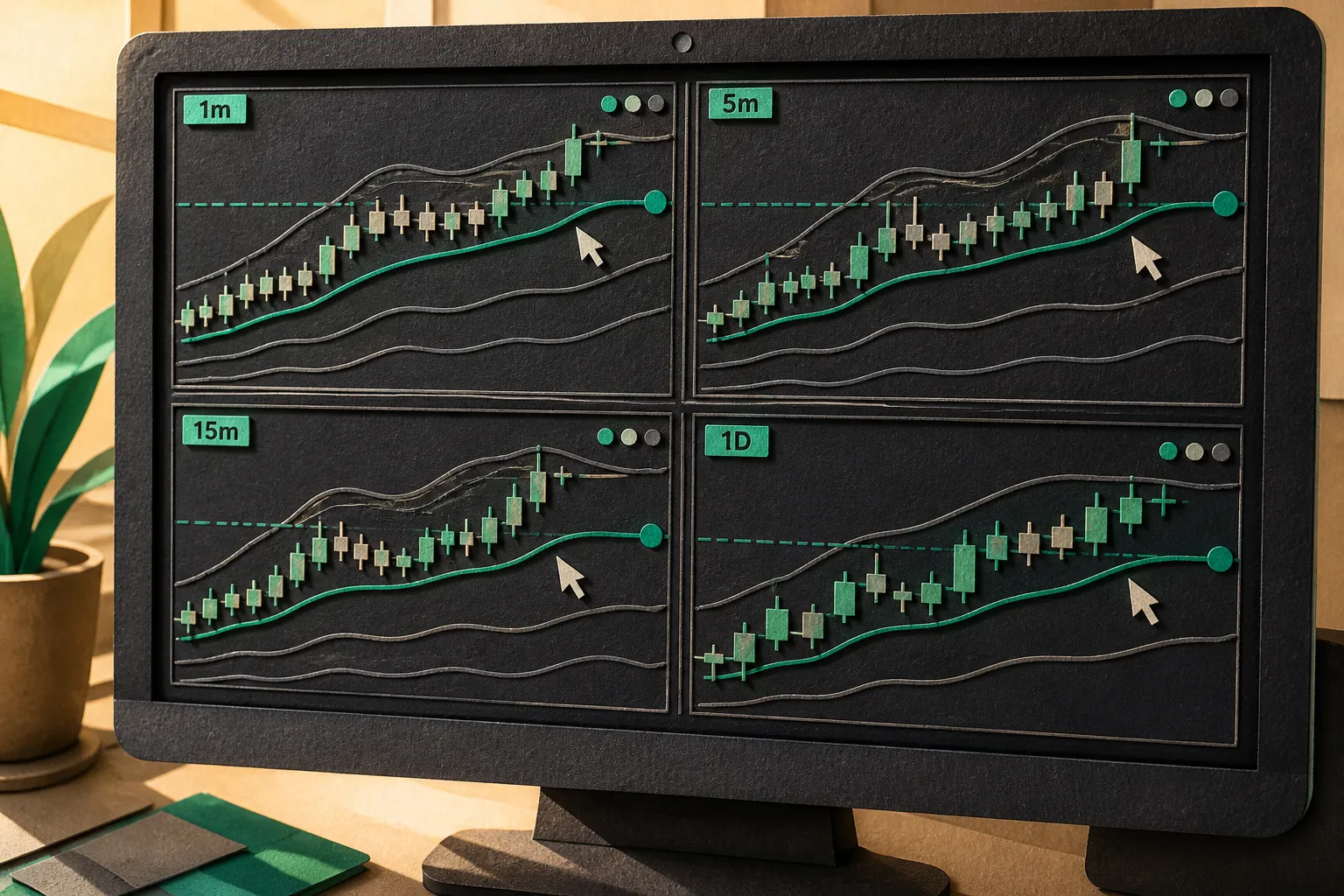
VWAP is popular for a reason. It anchors price to volume and gives you a fair-value line traders actually watch. The mistake is adding VWAP and guessing the rest. Below is a concrete VWAP plan with entries, stops, targets, and alerts you can test, trade, and refine.
VWAP and the bands: what they show and when to use them
VWAP is the Volume Weighted Average Price. It updates through the session and resets at the start of each new session. Above VWAP, buyers are paying a premium to the average participant. Below it, sellers are in control. Treat VWAP as intraday fair value that helps you gauge pressure and stretch.
What the bands add
VWAP bands show distance from fair value. In trends, pullbacks often pause at VWAP or the first band. In ranges, price tends to mean-revert from an outer band back toward VWAP.
- Default starting points: set bands at 1 and 2 standard deviations from VWAP on your execution timeframe.
- If your bands use ATR or percent, try 0.5x and 1.0x the 14-bar ATR on a 1 - 5 minute chart, or 0.25% and 0.50% on liquid large caps. Adjust to match typical intraday stretch.
When VWAP is most useful
- Intraday on 1 - 15 minute charts for execution and risk.
- With extended hours on for US stocks when pre-market or after-hours volume shapes your setup. If thin pre-market prints distort VWAP, turn extended hours off for the session.
- Across liquid stocks, ETFs, futures, forex, and crypto where continuous trading and volume produce reliable reference points.
On TickerLists you can add VWAP with bands to candlestick or line charts from 1-minute to weekly bars. You can zoom, scroll, toggle extended hours, and drag the price axis for a tighter view. Live quotes update the line and bands in real time.
Build a two-timeframe VWAP workspace
Good VWAP trades start with context. Pair a fast chart for timing with a slower chart for bias so your entries follow the bigger picture.
A practical layout
- Bias chart: 15-minute or 30-minute with VWAP and bands to see slope, session position, and higher-timeframe levels.
- Execution chart: 1-minute or 5-minute with VWAP and bands to time pulls, reclaims, and fades.
Add a daily chart if you want yesterday’s high/low, gap levels, or a monthly anchor. Use a four-chart view if you track multiple symbols or a related ETF or futures contract side by side to spot relative strength.
TickerLists lets you show one, two, or four charts and save them as layouts. Lists, alerts, levels, and layouts save to your account and sync across devices, with phone-friendly charts and pinch-to-zoom when you step away. You can import watchlists, group them into foldable sections, and quick-switch symbols with one key to scan the same way across stocks, ETFs, indices, futures, forex, and crypto.
Entries, stops, and targets: a clear plan
Here is a simple, testable VWAP framework you can apply in liquid markets. Start small, collect stats, and tune the details to your product and session.
1) Define bias with slope and position
- Trend up: VWAP sloping up, price holding above it, higher highs and higher lows. Prefer longs.
- Trend down: VWAP sloping down, price below it, lower highs and lower lows. Prefer shorts.
- Range: Flat VWAP with overlapping candles. Favor mean-reversion from the outer band toward VWAP. Size down.
2) Triggers that respect the bias
- Pullback to VWAP in trend: Enter with the trend when price tags VWAP or the first band and confirms with a reversal candle (engulfing, hammer/shooting star) or a break of a minor swing.
- VWAP reclaim and hold: After a strong move back through VWAP, wait for a retest that holds on your execution chart. Enter on the break of the retest high (for longs) or low (for shorts).
- Band fade in range: When VWAP is flat and price tags the outer band, enter toward VWAP only after a clear stall, failed push, or lower high/higher low at the band.
3) Place stops where the idea is wrong
- Pullbacks: Stop just beyond the opposite side of VWAP or the band used for the setup. If long off VWAP, the stop goes a few ticks below the first band or the swing low that formed at the tag.
- Reclaims: Stop below or above the retest low/high that confirmed the hold of VWAP.
- Band fades: Stop outside the outer band by a buffer that reflects your product’s noise (for example, 0.1 - 0.2R or 2 - 4 ticks in liquid futures).
- Avoid penny-tight stops. If your stop lives inside typical band wiggle on your timeframe, expect to get tagged out.
4) Set reachable targets
- First target: Opposite band, yesterday’s high/low, opening range edge, or a clean intraday swing. Take partials and reduce risk.
- Runner target: Next higher-timeframe level if momentum continues. Trail with a structure stop (last swing) or a band-based trail.
- Risk-to-reward: Aim for 1R to first scale and 2R - 3R for the runner when the tape is strong. In ranges, plan smaller targets and faster exits.
5) A concrete example
Example long in a morning uptrend: VWAP slopes up on the 15-minute. On the 1-minute, price pulls to VWAP, prints a higher low at the first band, then breaks the minor swing high. Enter 1 tick above the trigger candle. Stop 1 - 2 ticks below the higher low that formed at the band. First target is the opposite band or the morning high. If the first target is 12 ticks and the stop is 6 ticks, you have 2R to target. Scale half at 1R, trail the rest under successive higher lows.
On TickerLists you can draw entry, stop, and target lines, drag to adjust, and see P/L at each level. If you want a fast second opinion on a scalp, the Entry check and odds button analyzes today’s 1-minute chart and suggests an entry, stop, target, and the odds the target is reached first. Use that as a reference, not a replacement for your plan.
Alerts, review, and refinement
Alert rules that do the watching for you
- Trend pullback alert: Place an alert slightly before VWAP in the direction of travel (for example, 0.1R or a few cents/ticks before the level) so you have time to focus as price approaches.
- Band touch alert: Set alerts at the outer bands in flat sessions to hunt mean reversion.
- Reclaim or loss of VWAP: Place paired alerts just above and below VWAP to catch breaks and retests.
- First target alert: Add an alert at your target so you scale or exit without hesitation.
For US stocks that move early, turn on extended hours and place alerts with pre-market or after-hours in mind. Live quotes include those sessions, so you see the approach and the trigger in real time.
Review to make the setup repeatable
- Journal the setup: Snapshot entries at VWAP or bands, stop distance in ticks or percent, and why you took the trade. Note distance from VWAP at entry and at first target.
- Measure slippage and adherence: Did you execute the trigger you wrote down or chase? Record time-in-trade and maximum adverse excursion versus band width.
- Tag outcomes by condition: Trend vs range, morning vs afternoon, extended hours on vs off. Track win rate and expectancy by tag.
On TickerLists you can save multi-chart layouts for review, import watchlists, fold symbols into groups, and quick-switch with one key. Company data and news, including ranges, volume, market cap, P/E, next earnings date, a profile, and the latest headlines, give you context before you trade around VWAP on a catalyst day.
Common pitfalls and fixes
- Trading against VWAP slope: If VWAP is flat or turning, odds change. Size down or stick to band-to-VWAP fades.
- Chasing far from VWAP: The further price stretches beyond the outer band, the higher the snapback risk. Wait for the pullback or let it go.
- Ignoring session choice: Thin pre-market can warp VWAP. Decide early to include or exclude extended hours and keep it consistent.
- Stops inside noise: Place stops beyond the level that defines your idea, not inside band wiggle.
- Alert fatigue: Only set alerts that tie to a decision. Archive stale alerts after the session.
If you learn best with a coach, a directory like TutorListed can help you find a mentor to review your journal and speed up your feedback loop.
Key takeaways
- Use VWAP and its bands to define bias, time pullbacks, and set realistic stops and targets.
- Pair a higher timeframe for context with a fast chart for entries. Save layouts so you can review the same view every day.
- Place alerts at VWAP, bands, and targets so you act on plan, not impulse.
- Track results by condition. Adjust rules for trend, range, and extended hours.
- Use platform tools like TickerLists to add VWAP with bands, draw levels, see P/L, and sync your workflow across devices.
FAQ
What is VWAP and why do traders use it?
VWAP is the Volume Weighted Average Price for the session. Traders use it as a fair-value guide for trend, pullbacks, and mean reversion setups.
Which timeframe is best for a VWAP trading strategy?
Use a fast chart like 1-minute or 5-minute for entries, paired with a 15-minute or 30-minute chart for bias. Test and adjust to your market and risk.
How do I set stops when trading around VWAP?
Place stops where the idea breaks, typically just beyond VWAP or the nearest band that defines your setup. Avoid stops inside normal band noise.
Should I include extended hours when using VWAP?
Include extended hours if pre-market or after-hours volume is meaningful for your symbol. Exclude it if thin prints distort your levels.
How can alerts improve VWAP trading discipline?
Alerts at VWAP, bands, and targets prompt timely actions and reduce impulse trades. Set only alerts tied to clear trade decisions.
More from the blog
SOXL Stock: Live Price, Ranges, Volume, Charts and News
SOXL live price, day and 52-week range, volume, market cap, and news. See charts, set alerts, and organize SOXL in TickerLists watchlists that sync across
VOO Stock: Live Price, 52-Week Range, Volume and News
Track VOO live price, day and 52-week ranges, volume, market cap, and headlines. Build watchlists and set unlimited price alerts in TickerLists.
Breakout Alerts: Mark Levels, Plan Risk, Trade the Retest
Step-by-step breakout alerts: mark levels, set price alerts, map entry/stop/target, check odds with Entry Check, and sync your plan across devices.

Stock Ticker Guide: Read Symbols, Suffixes, and Types
A practical stock ticker guide. Learn how symbols work, common suffixes, and tickers for ETFs, indices, futures, forex, and crypto, with examples.