Best Crypto Watchlist Apps to Track Coins and Set Alerts
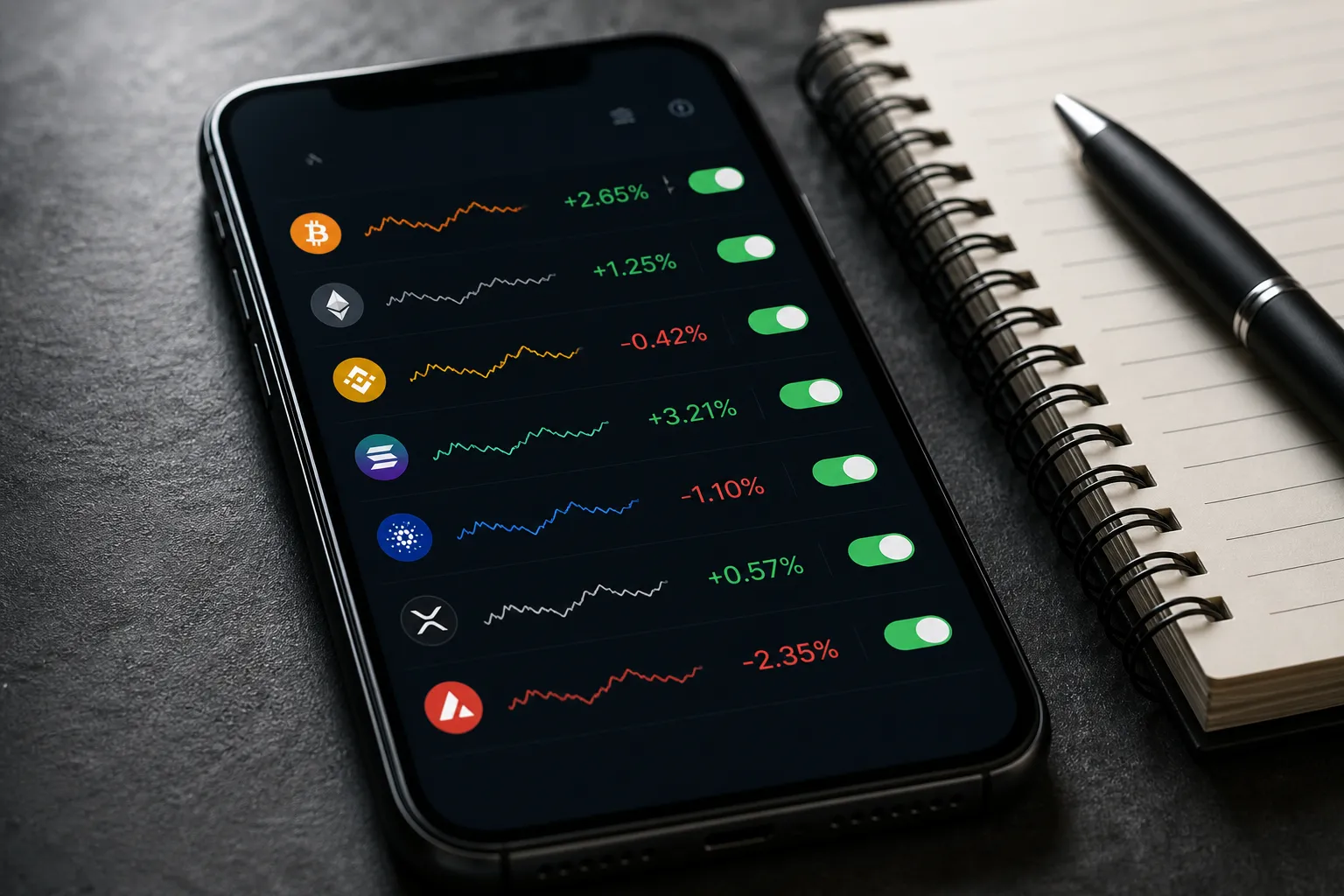
Crypto trades on speed and clarity. Late alerts lead to chase entries. Cluttered charts hide the obvious level. The right watchlist gives you fast signals, clean context, and a setup that follows you from desk to phone without friction. These are the apps that do it well, plus what to look for so your daily workflow stays tight.
What to expect from a crypto watchlist
A good watchlist makes three core jobs reliable: seeing accurate data, getting alerted on time, and acting with minimal clicks. Here is how to evaluate that in practice.
- Reliable data: Clear labels for real-time vs delayed feeds per exchange. Spot pairs should show the quoted venue and pair (for example, BTCUSDT vs BTCUSD). If an app supports other markets, extended-hours context should be obvious where it applies.
- Alerts that fire on time: Level-based alerts that trigger on touch, not only on close. Bulk create and edit so you can map a range. No low hard caps so you can cover breakouts, retests, and invalidation on the same coin.
- Readable charts: Candles and lines from 1-minute to higher timeframes, with fast zoom and scroll on mobile. Being able to drag the price axis and drop lines where you need them saves time.
- List control: Sections for Majors, Perps, DeFi, and Watch-next. Quick sort by change or volume. Drag to reorder. Switch lists without losing your place on the chart.
- Cross-device sync: Lists, alerts, and chart layouts should match on web and phone. If you mark a level on desktop, it should be there when the alert hits your phone.
- Import options: Bring symbols from other tools without manual retyping. Mapping BTCUSD ↔ BTCUSDT or exchange-specific tickers should be straightforward.
TickerLists
TickerLists is a unified watchlist and charting tool for crypto, stocks, ETFs, indices, futures, and forex. Market data is real-time or delayed by exchange, and US stocks include live quotes with extended hours. Charts offer candle or line views from 1-minute to weekly, quick scroll and zoom, and a draggable price axis so you can drop and adjust levels quickly on both desktop and phone.
Alerts are the standout. Click any price to set unlimited alerts, or draw entry, stop, and target lines directly on the chart. Drag to fine-tune and see live P/L at each line as you plan trades. When you want a quick timing check, the Entry check analyzes today’s 1-minute action and suggests an entry, stop, target, and the odds the target is reached first. It is useful when you are balancing risk on tight intraday structures.
Watchlists are flexible. Create unlimited lists with up to 200 symbols each. Fold sections, drag to reorder, sort columns, and switch lists with one key. You can import TradingView exports with sections, then save one, two, or four charts as layouts that sync to your account. VWAP with bands is available when you want an anchor level for intraday bias or mean-reversion plans.
How to use it well
- Build a Majors section with BTCUSD, ETHUSD, SOLUSD, and a Perps section for your exchange pairs. Add a Dominance or total market index if you track context.
- Mark the prior day’s high and low, the week’s open, and VWAP. Set alerts a few ticks above and below each. Add a final alert at the failure point where you would exit.
- Use a two- or four-chart layout to keep BTC and ETH next to a dollar proxy and a risk index. The relationship view helps you avoid forcing trades when context is soft.
Pros
- Unlimited price alerts with drag-to-adjust trade levels and live P/L at each line.
- Cross-market coverage for crypto, stocks, ETFs, indices, futures, and forex in one place.
- Import TradingView watchlists with sections to get started fast.
- Multi-chart layouts and phone-friendly charts with pinch-to-zoom that sync across devices.
- VWAP indicator and 1-minute through weekly candles for clear intraday and swing views.
Cons
- Data can be real-time or delayed depending on the exchange, so confirm timing for each market.
- Some data features, like extended-hours quotes and company metrics, are stock-focused and not relevant to crypto.
Who it is for
Traders who watch crypto next to equities or forex and want unlimited alerts and synced layouts. Also a practical TradingView alternative for watchlist management if you want to import lists and keep working across markets.
TradingView
TradingView is a popular choice for crypto watchlists because the charting is deep and runs on every device. You can organize coins into lists, flip through clean timeframes, and set alerts at price levels. If you live in charts all day, the interface will feel familiar and the mobile app keeps your lists with you.
What stands out
- mature charting, strong drawing tools, and many built-in indicators.
- Watchlists and alerts that sync across desktop and mobile.
- A large community and broad market coverage that includes most liquid crypto pairs.
Where it can slow you down
- Advanced alert types and higher limits sit behind paid tiers, which matters if you map many levels.
- The interface can feel heavy if you only need a fast watchlist and simple, repeatable alerts.
Who it is for
Chart-first traders who want familiar tools and plan to work in one interface for most of their analysis.
CoinGecko
CoinGecko focuses on coverage and simplicity. It is easy to create a crypto watchlist, check prices quickly, and get basic notifications from the app. If you want a lightweight view of many tokens with minimal setup, this is a straightforward option.
What it does well
- Wide coverage of coins and tokens, including smaller listings and new launches.
- Simple mobile alerts and a clean overview for price and change at a glance.
- Fast to use when you just need a quick pulse check on the market.
Limits to note
- Charts and alert controls are basic compared to trader-focused platforms.
- Not built for multi-asset trading workflows or multi-chart layouts.
Who it is for
Buy-and-hold users and anyone who wants a light watchlist to track price moves across many coins without complex charting.
Price alerts and mobile syncing
Set more alerts than you think you need. Cover the level, the retest, and the failure. For a breakout plan, that can mean an alert slightly above the prior high, one at the retest of the breakout level, and one at the invalidation below the last swing low. For mean-reversion, set alerts at VWAP, its bands, and the prior session midpoint. Building the map once reduces decisions when the market moves.
On phone, two things must be fast. First, receiving the alert. Second, seeing a chart you trust. A phone-friendly chart with pinch-to-zoom and a draggable axis lets you confirm a wick or a level before you act. If you trade several markets, synced layouts let you open your crypto list and still see equity or dollar context without hunting for symbols.
Building a cross-market list in one place
If you trade crypto alongside equities or forex, managing separate apps slows you down. A single stock watchlist app that also supports a crypto watchlist lets you keep coins, indices, and tickers in sections inside the same list. This helps when you want to compare a BTC move with risk-on equities, check live stock charts for related names, and keep stock price alerts and coin alerts under one roof. It cuts context switching and keeps your daily prep tighter.
Content creators who post quick market updates face a similar time crunch. Recording a screen share and then dropping subtitles before publishing is simpler with a tool like SubtitlesFast, which adds, translates, styles, and burns captions so you can share clips while the move is still relevant.
How we chose
We tested each app on three workflows: building and organizing a list with sections, setting and receiving multiple alerts per symbol, and scanning intraday moves on mobile. We favored tools that sync lists and layouts, make alerts easy to batch and edit, and label data timing clearly so you know when quotes are real-time or delayed.
Key takeaways
- Pick a crypto watchlist that sends fast, reliable alerts and keeps charts readable on your phone.
- If you track more than coins, a cross-market tool reduces app switching and keeps setups organized.
- Importing existing lists and saving multi-chart layouts saves hours during the first week.
- Confirm whether quotes are real-time or delayed for your exchanges before relying on levels.
FAQ
What is a crypto watchlist app and why use one?
It is a tool that tracks your chosen coins in one view, lets you organize them, and sends price alerts at levels you set. It helps you react faster and stay consistent.
Can I get alerts on both desktop and mobile?
Yes. Choose an app that syncs your lists and alerts across devices so notifications hit your phone and you can confirm levels on a readable mobile chart.
How do I import my TradingView watchlist into TickerLists?
Export your watchlist from TradingView, then use the import feature in TickerLists to bring symbols in, including their sections, so you can keep your structure.
Can I track stocks and crypto in one watchlist?
Some tools support multiple markets in one place. That lets you group coins with related tickers and manage all your alerts without switching apps.
What makes a good alert system for crypto?
It should let you set many alerts per coin, adjust levels quickly, and receive notifications reliably. Clear labeling of real-time versus delayed data also matters.
More from the blog
SOXL Stock: Live Price, Ranges, Volume, Charts and News
SOXL live price, day and 52-week range, volume, market cap, and news. See charts, set alerts, and organize SOXL in TickerLists watchlists that sync across
VOO Stock: Live Price, 52-Week Range, Volume and News
Track VOO live price, day and 52-week ranges, volume, market cap, and headlines. Build watchlists and set unlimited price alerts in TickerLists.
VWAP Trading Strategy: Entries, Stops, Targets and Alerts
Learn a VWAP trading strategy with clear entries, stops, targets, and alert rules. Use VWAP bands, timeframes, and layouts to plan and review trades.
Breakout Alerts: Mark Levels, Plan Risk, Trade the Retest
Step-by-step breakout alerts: mark levels, set price alerts, map entry/stop/target, check odds with Entry Check, and sync your plan across devices.